
You upload a beautiful banner to your website, but on mobile the text gets cut off. Your favicon looks like a blurry square in the browser tab. And when you share a blog link on WhatsApp, the preview image is cropped badly. We see these small problems on many Pakistani business websites, and they quietly hurt trust. So, this guide on website banner size gives you clear, practical answers.
The fix is simple: use the right website banner size and favicon size from the start. This guide gives you the correct sizes for 2026, including hero banners, blog images, social share images, Google Display ads and favicons, plus tips to keep images fast.
Table of Contents
- What Is the Best Website Banner Size?
- Website Banner Sizes Cheat Sheet (2026)
- The Safe Zone: Why Text Gets Cut on Mobile
- Favicon Sizes Explained
- Google Display Ad Banner Sizes
- How to Keep Your Website Banner Size Light and Fast
- Common Banner and Favicon Mistakes
- Keep Your Website Looking Sharp
- Website Banner Size for Popular Page Builders
- Website Banner Size and Design Tips That Convert
- Social Media Cover and Post Sizes
- Website Banner Size and Image SEO
- Tools to Create and Compress Banners
- Website Banner Size Checklist
- Conclusion
What Is the Best Website Banner Size?
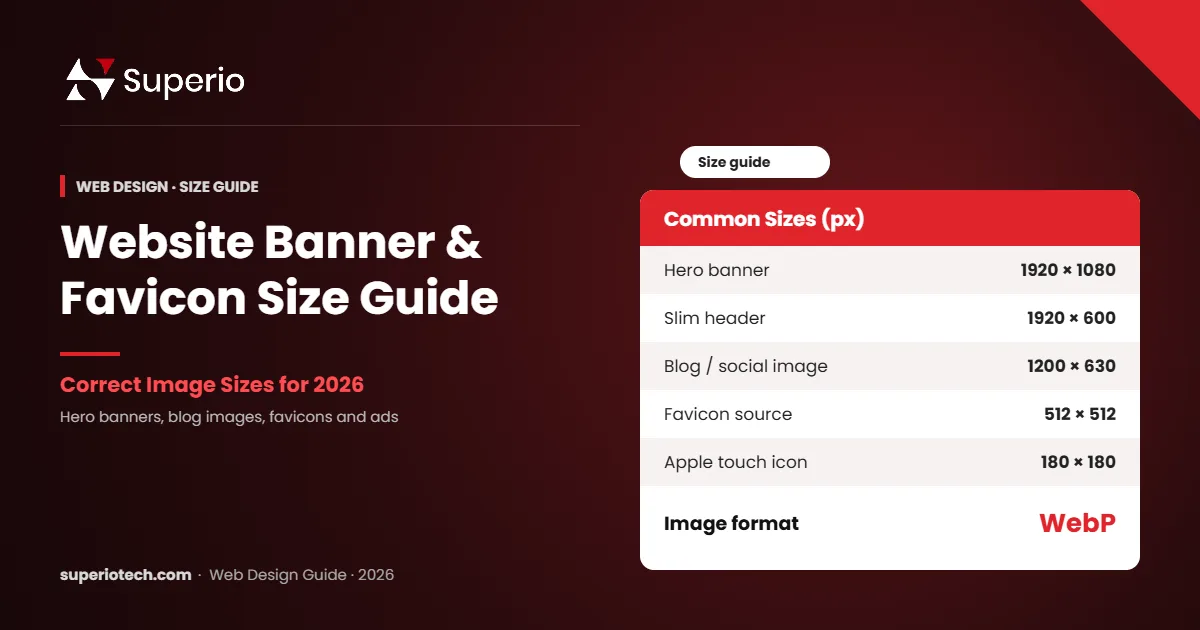
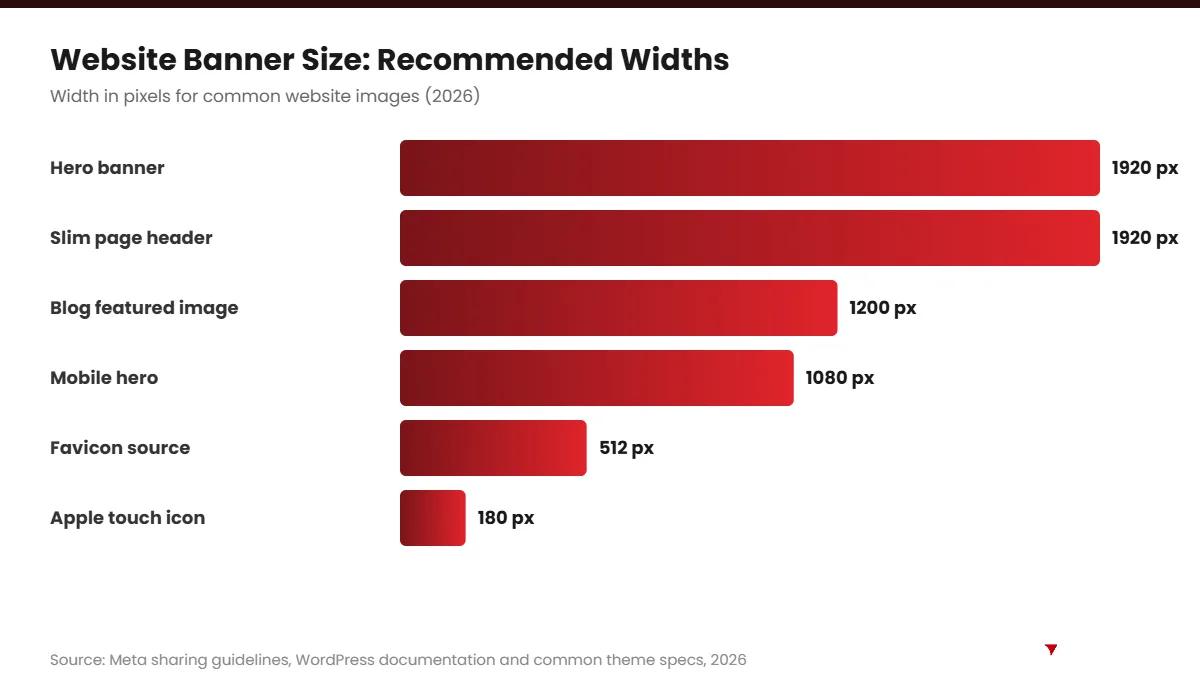
The best website banner size for a full-width hero section is 1920 × 1080 pixels, or a shorter 1920 × 600 to 800 pixels for slim banners. For blog featured images and social sharing, use 1200 × 630 pixels. Keep key text in the centre and compress images to WebP for fast loading.
In simple words, design wide for desktops, but always plan for small phone screens.
Website Banner Sizes Cheat Sheet (2026)
| Banner type | Recommended size (px) | Notes |
|---|---|---|
| Full-screen hero banner | 1920 × 1080 | Common for homepages |
| Slim hero / page header | 1920 × 600 – 800 | Good for inner pages |
| Blog featured image | 1200 × 630 | Also works for social sharing |
| Open Graph (social share) | 1200 × 630 | Used by Facebook, LinkedIn, WhatsApp |
| In-content image | 1200 × 675 – 800 | Fits most blog layouts |
| Mobile hero banner | 1080 × 1350 or 1080 × 1920 | Separate version for phones |
| Shopify slideshow banner | About 1920 wide | Height depends on theme |
Themes differ, so always check your theme’s documentation. For social sharing, Meta explains image guidelines in its sharing best practices.
The Safe Zone: Why Text Gets Cut on Mobile
Most themes resize and crop banners to fit different screens. On a phone, a wide 1920-pixel banner may show only the middle part. Therefore, text near the edges often disappears.
- Keep headlines and buttons in the centre 60% of the banner.
- Avoid putting important text in image files; use real HTML text where possible.
- Create a separate mobile banner if your theme supports it.
- Preview the page on a real phone before you publish.
Favicon Sizes Explained
A favicon is the small icon in the browser tab, bookmarks and phone home screen. A sharp favicon makes your site look professional. Here are the sizes you need.
| Favicon use | Size (px) | Format |
|---|---|---|
| Source file | 512 × 512 | PNG |
| Browser tab | 16 × 16 and 32 × 32 | ICO or PNG |
| Apple touch icon | 180 × 180 | PNG |
| Android / PWA | 192 × 192 and 512 × 512 | PNG |
| Modern browsers | Scalable | SVG |
In WordPress, you can upload a 512 × 512 image under Appearance → Customise → Site Identity, and WordPress creates smaller sizes for you. See the WordPress favicon documentation for details.
Favicon Design Tips
- Use only the icon part of your logo, not the full name.
- Use bold shapes and strong contrast.
- Test it on light and dark browser themes.
Need the right logo files first? Read our logo size guide.
Website Banners Looking Wrong on Mobile?
Let SuperioTech Fix and Maintain Your Website
We optimise banners, images and speed so your site looks sharp and loads fast on every device.
Google Display Ad Banner Sizes
If you run display ads, these are some of the most widely used sizes. According to Google Ads Help, responsive display ads can adapt to many placements, but these fixed sizes are still common.
| Ad name | Size (px) | Where it shows |
|---|---|---|
| Medium rectangle | 300 × 250 | Inside content, sidebars |
| Large rectangle | 336 × 280 | Inside content |
| Leaderboard | 728 × 90 | Top of pages |
| Half page | 300 × 600 | Sidebars |
| Mobile banner | 320 × 50 | Mobile screens |
To plan your ad budget, see our guide to the best paid ads platforms.
How to Keep Your Website Banner Size Light and Fast
Large banner images are one of the main reasons websites load slowly. Slow pages lose visitors, especially on mobile data. So, follow these rules:
- Use WebP: it is usually much smaller than JPG or PNG.
- Compress: aim for under 150–200 KB for most banners.
- Resize first: do not upload a 5000-pixel photo for a 1920-pixel space.
- Lazy-load images below the fold: they load only when needed.
- Do not lazy-load the hero banner: it should load immediately.
Google’s PageSpeed Insights shows whether your images slow your site down.
“Simplicity is the ultimate sophistication.” — attributed to Leonardo da Vinci
The same applies to banners: one clear message, one strong image and one button work better than a crowded design.
Common Banner and Favicon Mistakes
- Text near the edges: it gets cropped on phones.
- Huge file sizes: slow pages hurt SEO and sales.
- Using the full logo as a favicon: text becomes unreadable at 16 pixels.
- No social share image: links look plain when shared on WhatsApp or Facebook.
- Too many slider banners: one strong banner usually beats a slow slider.
Keep Your Website Looking Sharp
Banners, favicons and images need regular checks as themes and plugins update. If you do not have time, our website maintenance services keep your site fast, secure and looking its best. You can also read our guide on website design cost in Pakistan.
Website Banner Size for Popular Page Builders
Different tools handle banners in slightly different ways. Here are practical tips for the platforms most Pakistani businesses use.
WordPress With Elementor
In Elementor, hero sections often use background images. Upload a 1920 × 1080 image, then set the background position to “center center” and size to “cover”. Also, use Elementor’s responsive mode to set a different image or position for mobile.
WordPress Block Editor
The Cover block works well for banners. Upload a wide image and set a minimum height, such as 500 to 600 pixels. Then, preview on mobile and adjust the focal point so the important part stays visible.
Shopify Themes
Shopify’s Image Banner and Slideshow sections usually look best with images around 1920 pixels wide. Many themes let you choose “adapt to image” or a fixed height. Check your theme’s help documentation for exact advice.
Website Banner Size and Design Tips That Convert
The right website banner size is only the start. A banner also needs to persuade visitors. So, follow these design principles:
- One clear headline: say what you offer in under 10 words.
- Short supporting line: add one benefit or proof point.
- One main button: for example, “Get a Free Quote”.
- Strong contrast: text must stand out from the background.
- Relevant image: show your product, team or result.
- Space to breathe: avoid crowding the banner.
In our experience at SuperioTech, a single focused banner usually performs better than a rotating slider with five messages.
Social Media Cover and Post Sizes
Your website banners and social media covers should look consistent. Here are common sizes to plan alongside your website. Always check each platform’s help centre, because sizes can change.
| Platform | Image type | Common size (px) |
|---|---|---|
| Page cover | About 851 × 315 (upload larger) | |
| Company cover | 1128 × 191 | |
| YouTube | Channel banner | 2560 × 1440 |
| X (Twitter) | Header | 1500 × 500 |
| Feed post | 1080 × 1080 or 1080 × 1350 | |
| Instagram and TikTok | Story / reel | 1080 × 1920 |
Website Banner Size and Image SEO
Images can also help your SEO. However, banners are often uploaded with names like “IMG_2045.jpg”. Instead, follow these simple rules:
- Use descriptive file names, such as “website-design-services-lahore.webp”.
- Add alt text that describes the image and includes a keyword where natural.
- Do not put all important text inside images; search engines read HTML text better.
- Set width and height attributes to prevent layout shifts.
- Serve responsive image sizes so phones download smaller files.
Good image SEO helps your pages load faster and appear in Google Images.
Tools to Create and Compress Banners
| Tool | Use | Cost |
|---|---|---|
| Canva | Quick banner design with templates | Free and paid plans |
| Figma | Professional design and mockups | Free and paid plans |
| Adobe Photoshop | Advanced image editing | Paid |
| Squoosh | Compress and convert to WebP | Free |
| TinyPNG | Compress PNG and JPG files | Free and paid plans |
Use any of these tools, then always run a final compression step before uploading.
Website Banner Size Checklist
- Hero banner at 1920 pixels wide.
- Key text inside the centre safe zone.
- Separate mobile banner where possible.
- Featured and social images at 1200 × 630.
- Favicon uploaded from a 512 × 512 source.
- All images saved as WebP and compressed.
- Descriptive file names and alt text added.
- Tested on a real phone before publishing.
Follow this checklist, and your website banner size will be right every time. For logo files, read our logo size guide.
Conclusion
Using the right website banner size and favicon size makes your site look professional on every screen. Use 1920-pixel-wide hero banners, 1200 × 630 featured images and a 512 × 512 favicon source. Above all, keep text in the safe zone and compress every image.
If you want a website that looks sharp and loads fast, SuperioTech can help design and maintain it for you.
Want a Fast, Professional Website?
Book a Free Website Strategy Session
Tell us about your site, and we will suggest quick fixes and a plan to improve design and speed.